Microsoft Azure Chatbot Builder
Designing a chatbot builder for simple flows on Azure
Overview
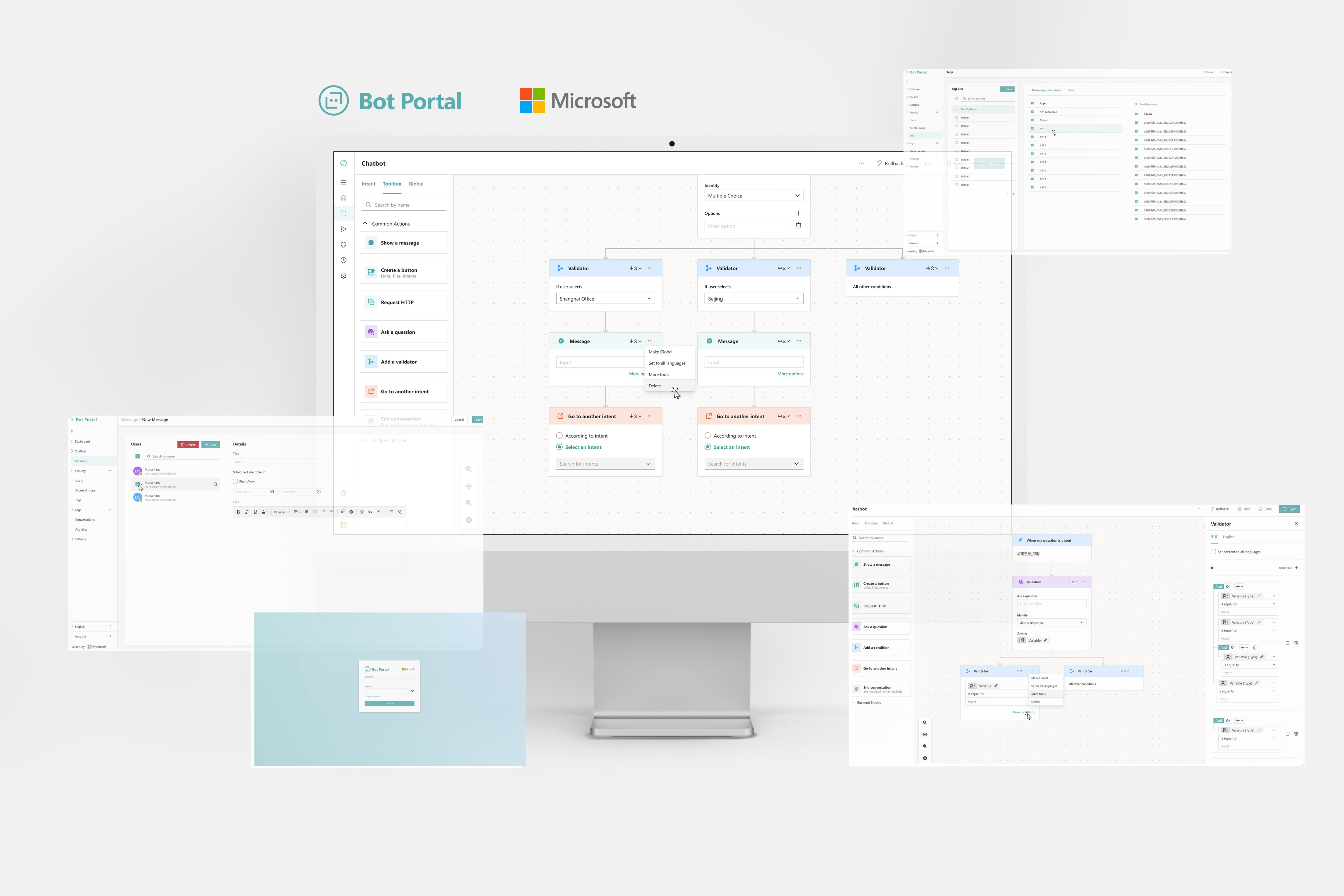
From Spring to Summer 2021, I worked at Microsoft on the Azure Apps and Infrastructure team to improve B2B cloud and analytic products. One of the projects I participated in was Bot Portal, a web chatbot builder that operations managers use to answer internal company questions from employees.
As the only designer on the team, I led the web app's end-to-end UI/UX redesign. I was partnered with another senior engineer who acted as the PM.
Problem
Objective
Outcome
10K+
monthly active users in Fortune 500 companies
66%
decreased time to create a simple flow
Q4 2021
product update release
Pain Points
Through user interviews, the senior engineer and I discovered operations managers' biggest pain points when building a conversation flow.
⏱ Slow interactions
It takes the user 4 clicks to create one response node and users must use indices to represent options.
🛑 Interrupted flows
Text and file editors exist as modals, which interrupts the user's actions and disables the main content.
💥 Choice overload
There are 14 response nodes for users to choose from, easily overwhelming users building simple flows with less than five responses.
🔁 Redundant workflows
It is time-consuming to recreate the same nodes.
Project Goals
How do we make the chatbot builder accessible for creating simple flows?
Create faster flow-building interactions
Prioritize frequent actions
Enable users to save common nodes
Final Designs
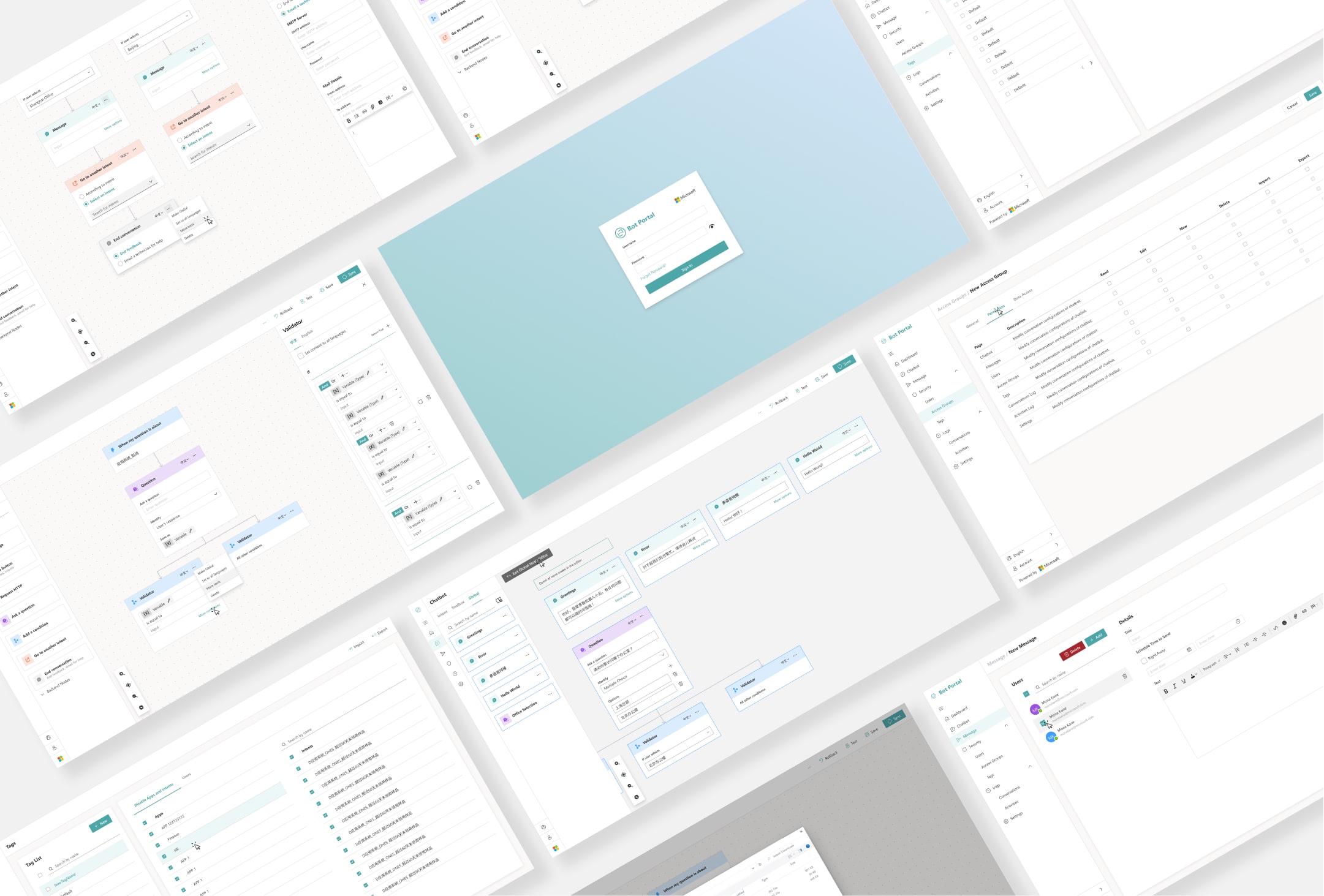
Despite facing many challenges, I was super proud of leading the design of this new iteration, prototyping almost 200 screens. Jump to the exploration section to see how I tested and iterated!
Redesign 1
Build flows quickly
Users can simply drag and drop nodes from the toolbox to build the conversation flow. I reduced a four-click step to one drag-and-drop when creating a response node.
Redesign 2
Edit details in the sidebar
The sidebar effectively hides complicated actions and creates a consistent place to edit global nodes.
Redesign 3
Save common nodes
Users no longer need to recreate the same nodes. They can save common nodes as "global nodes," and when they edit the main instance in the Global Node Editor, instances of this node in all conversation flows are updated.
Explore
I created multiple interactive prototypes to test edge cases and compound use cases. This guided our critiques and evaluation process, which also prompted new features that the senior engineer plans to include in future updates.
New Feature 1: Adding customized intents, essentially allowing the user to create new words for the bot to recognize through the GUI
New Feature 2: Storing multiple languages in each node, so that the bot responds in the user's language
Before: Small add buttons, 15-sec to build one message response node
After: Drag and drop, 5-sec to build one node, 66% decrease in time!
Visual Design
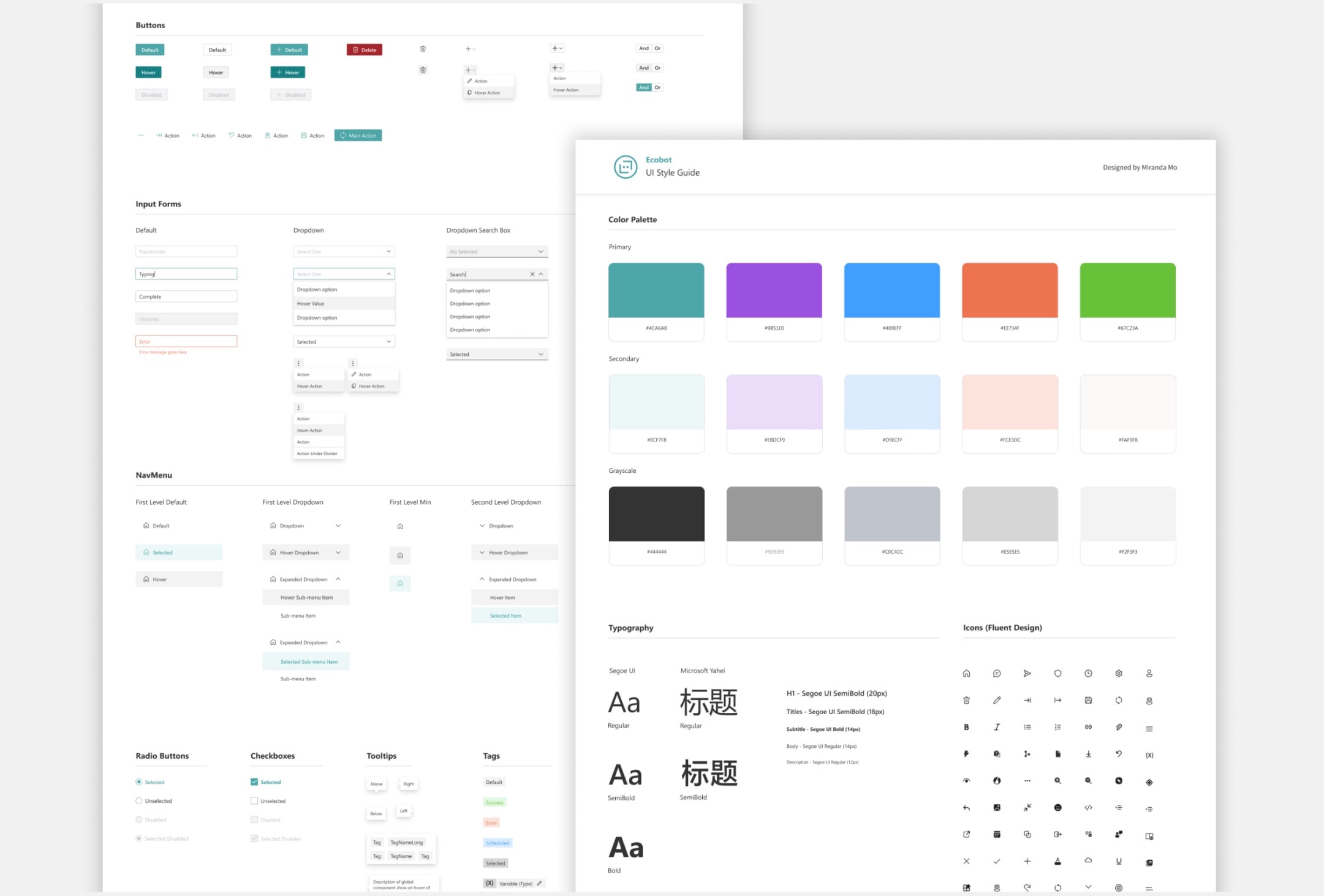
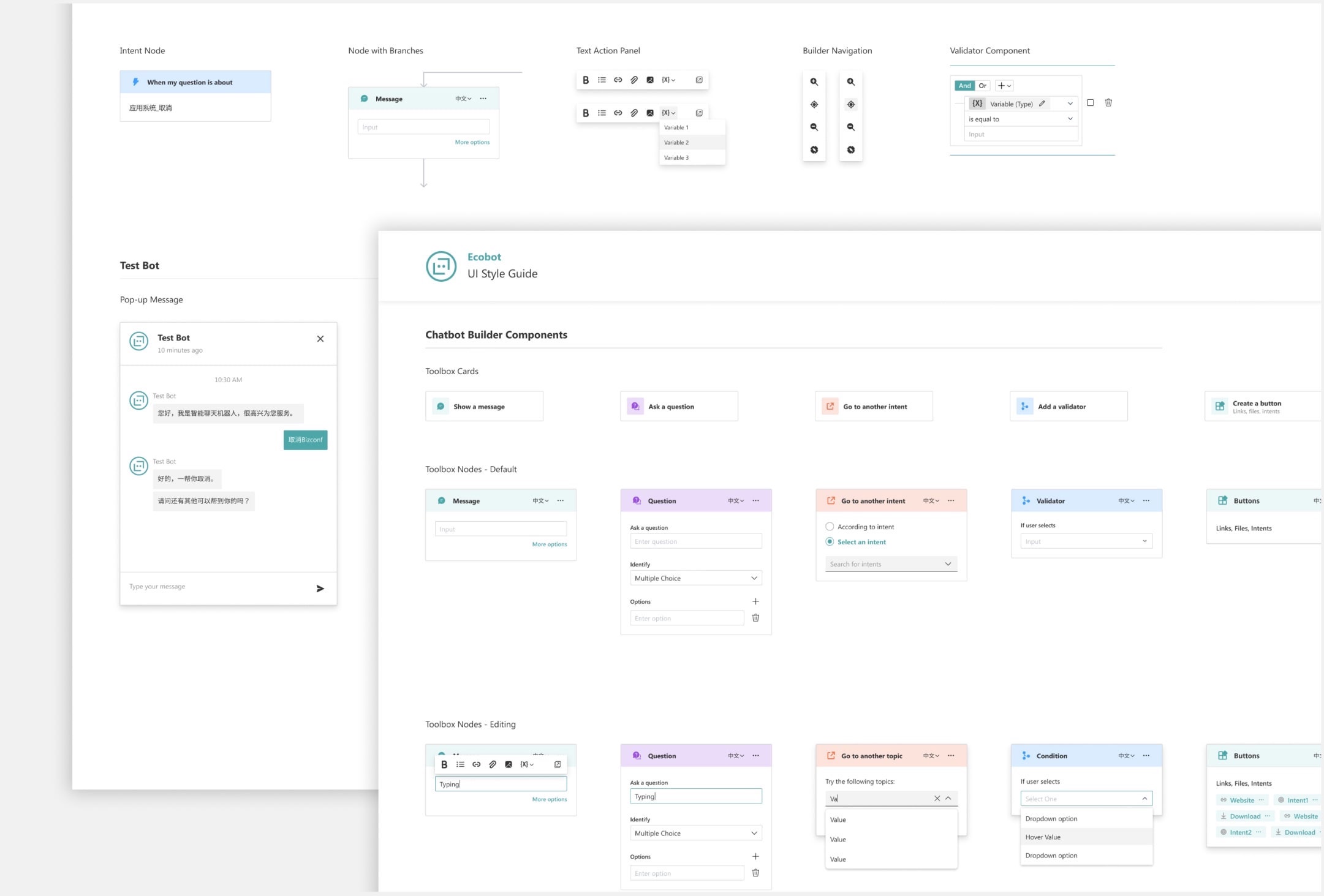
To underscore Microsoft's brand identity, my design system adhered to Microsoft's Fluent Design core principles. I also provided a UI Style Guide that laid out all the components and their states to guide the development process in Angular.
More Highlights
Mixed Reality
Beyond the Bot Portal project, I also developed UX solutions in Mixed Reality. I tried on HoloLens for the first time and even had my avatar made in MR 😂

My first time using the HoloLens!
My (very ugly) avatar in Mixed Reality